What you can do with it
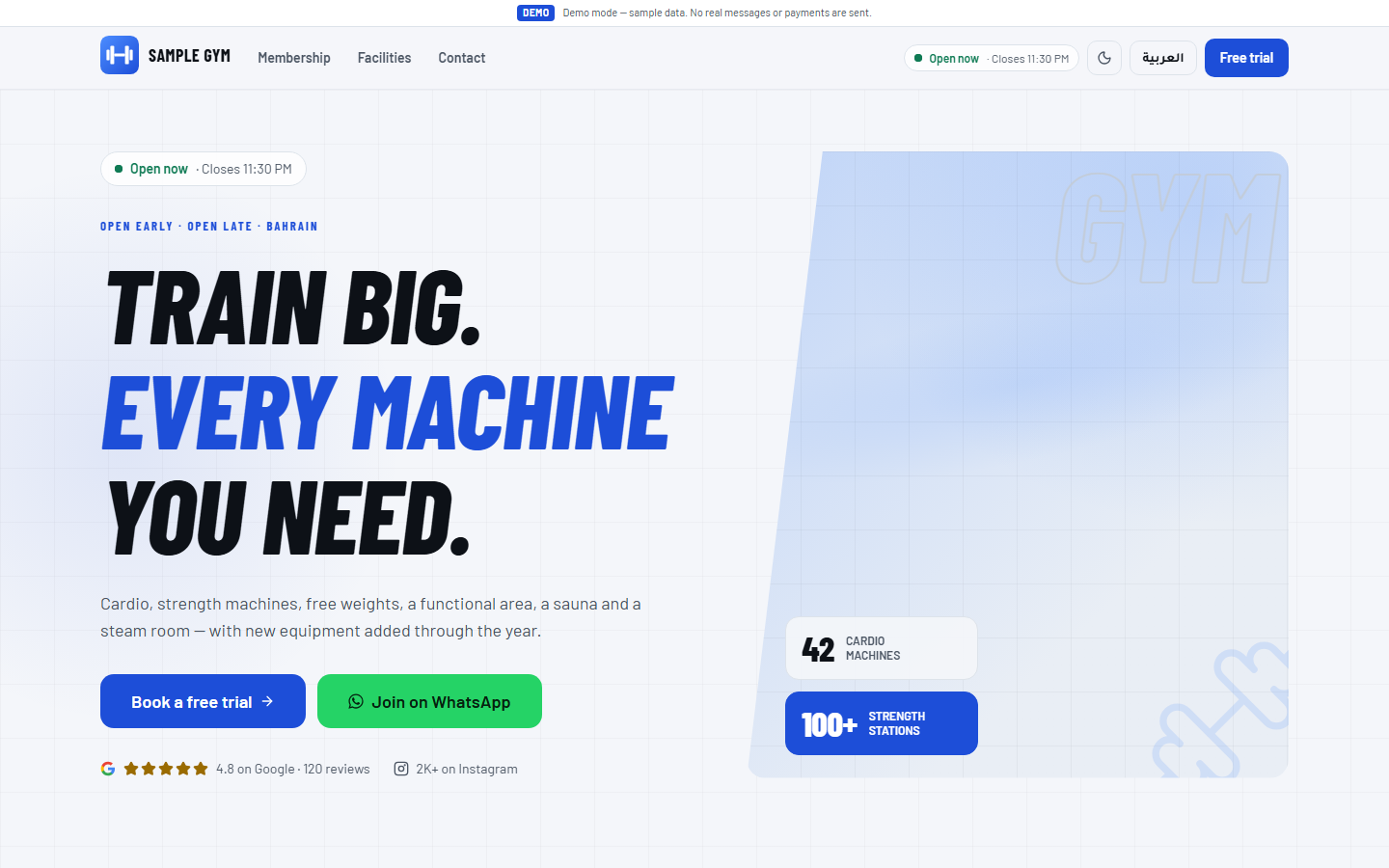
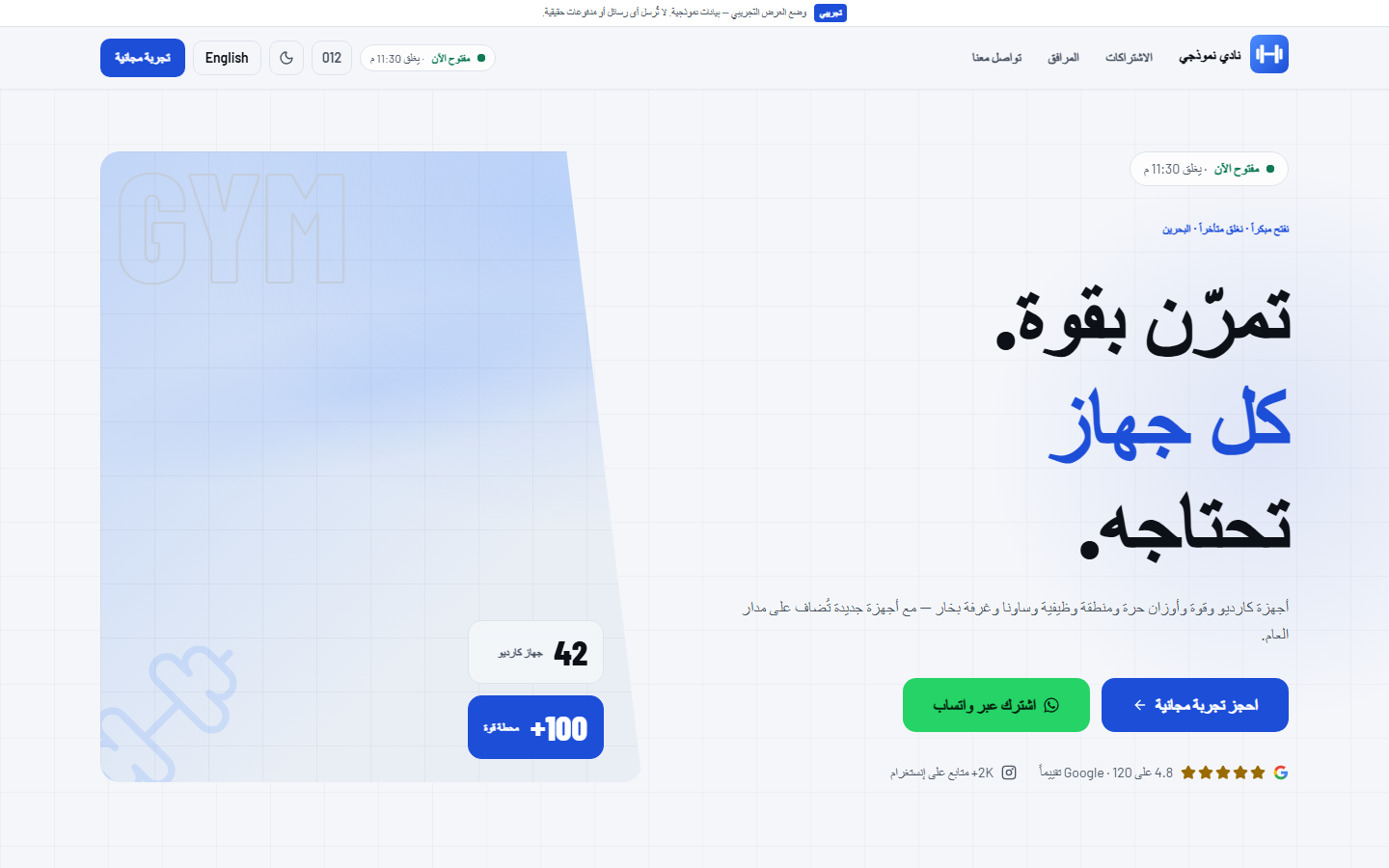
Bilingual website
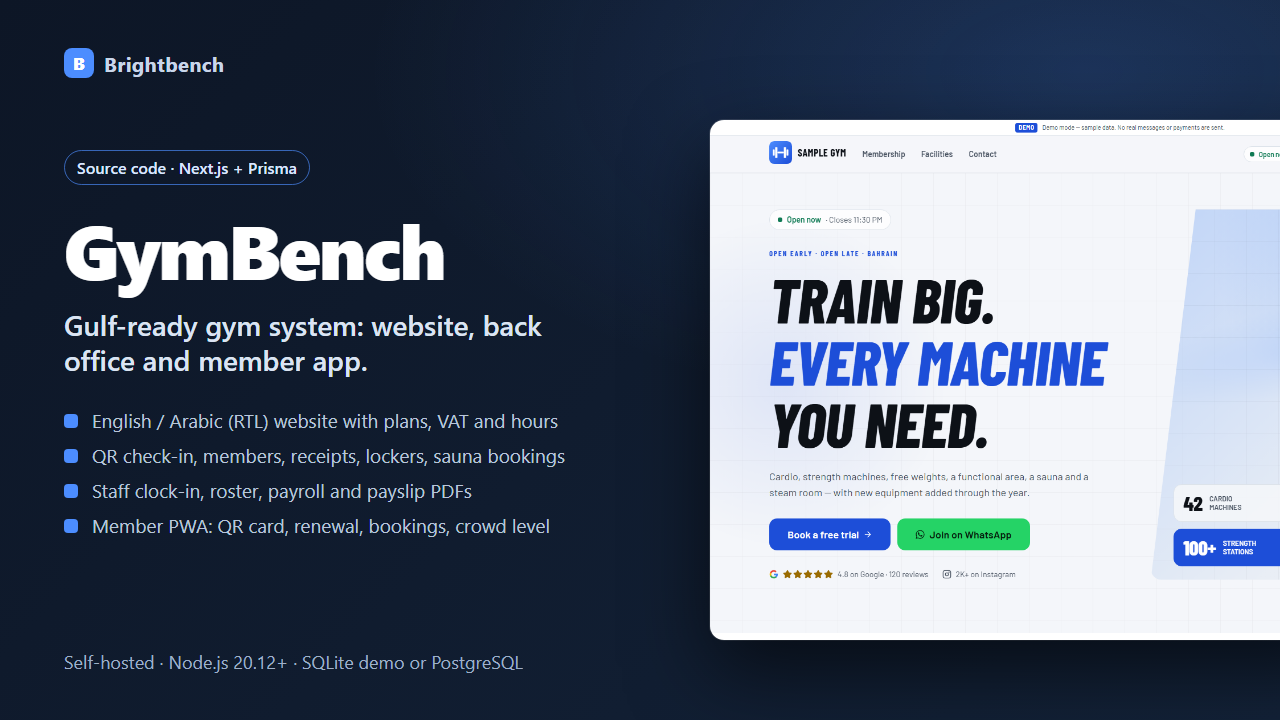
English and Arabic (RTL) pages with open-now badge, plans and prices with VAT, opening hours, crowd chart, free-trial form and PDPL privacy notice.
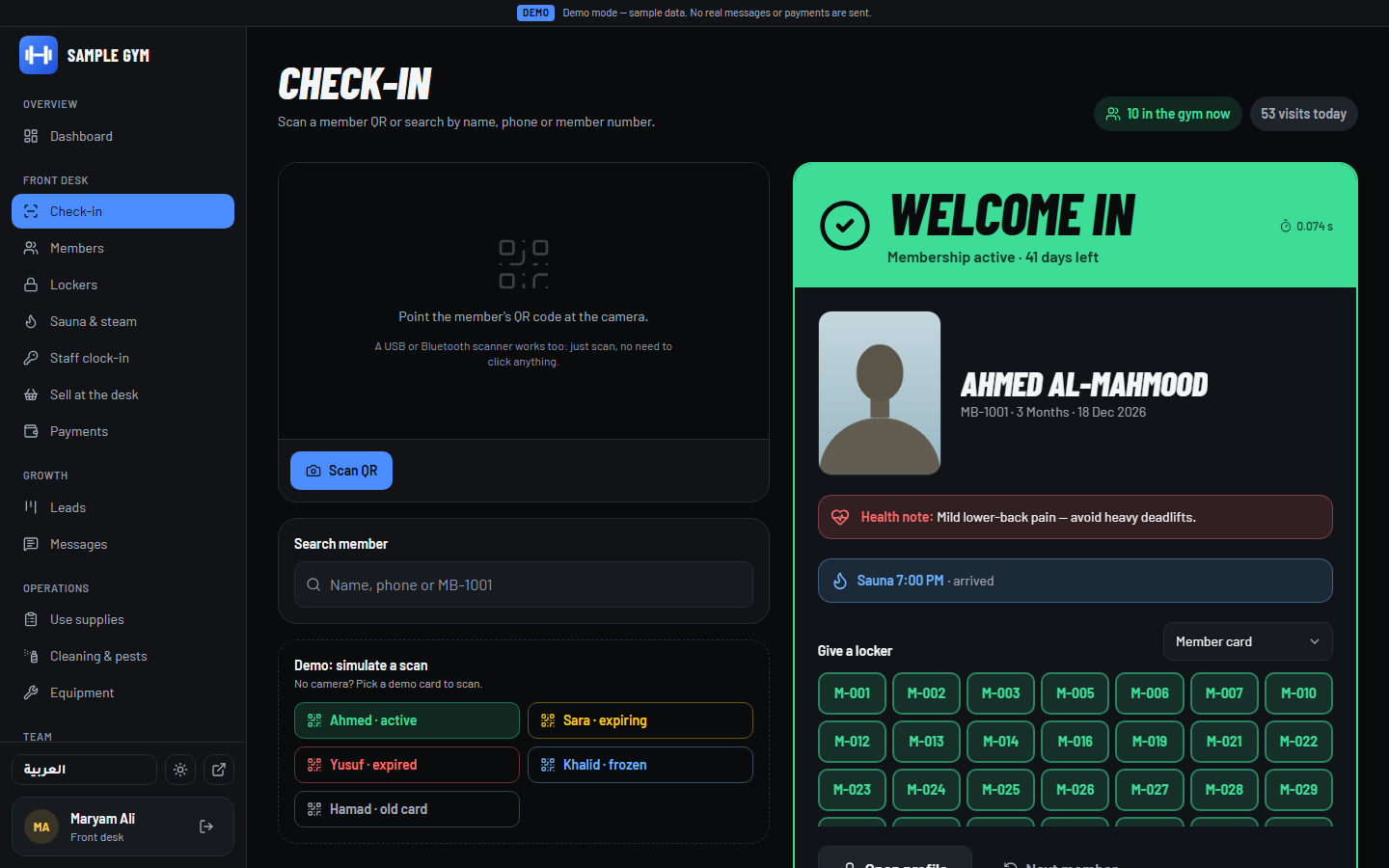
Front-desk check-in
QR or name search with photo, warnings for expired, frozen or replaced cards, lockers and a manual check-in reason.
Members & VAT receipts
Member profiles with photos, sell and renew plans, bilingual PDF tax receipts, printable ID-size cards, freezes and refunds.
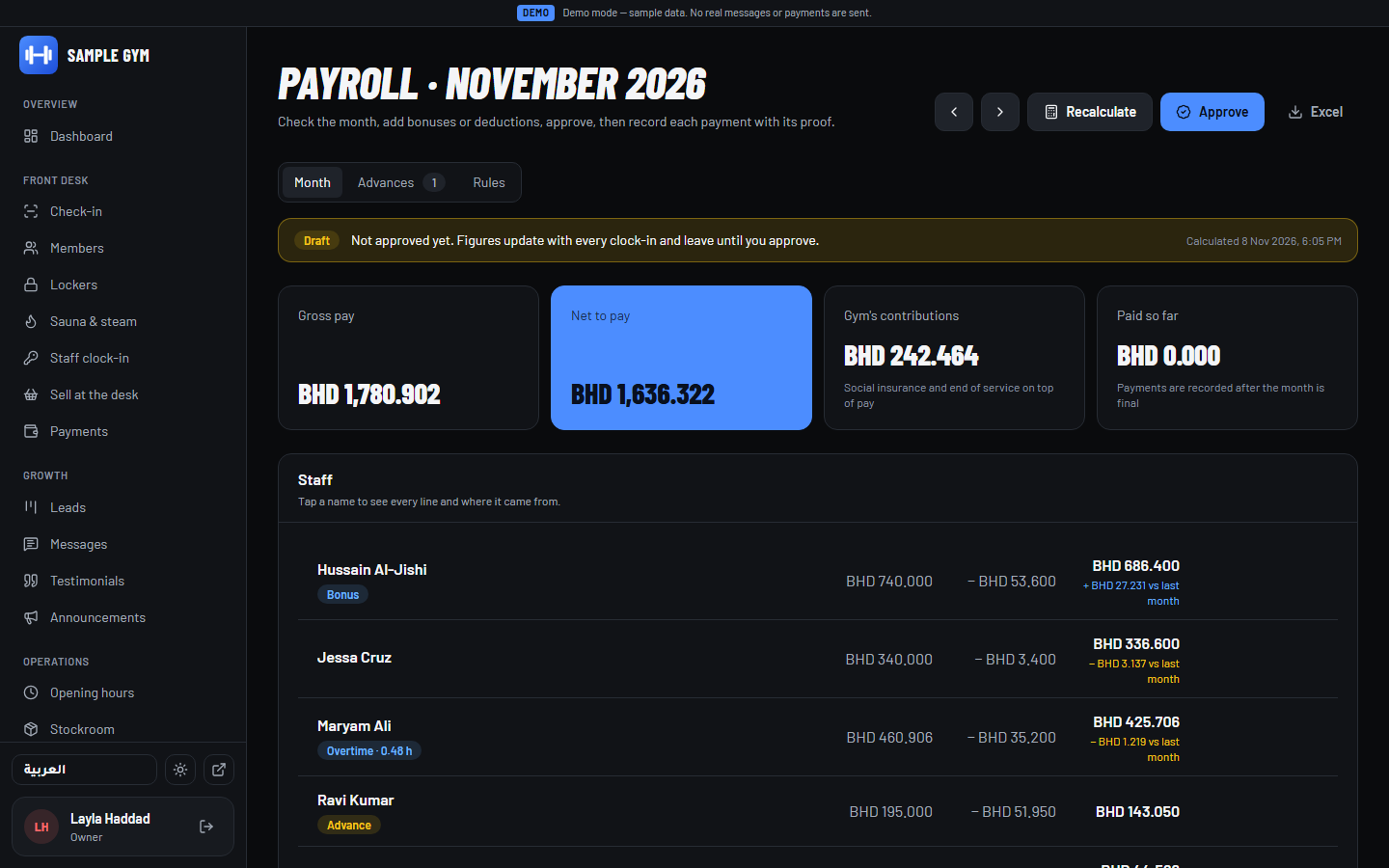
Staff & payroll
Clock-in kiosk, roster and leave, monthly payroll with social insurance, advances and bilingual payslip PDFs.
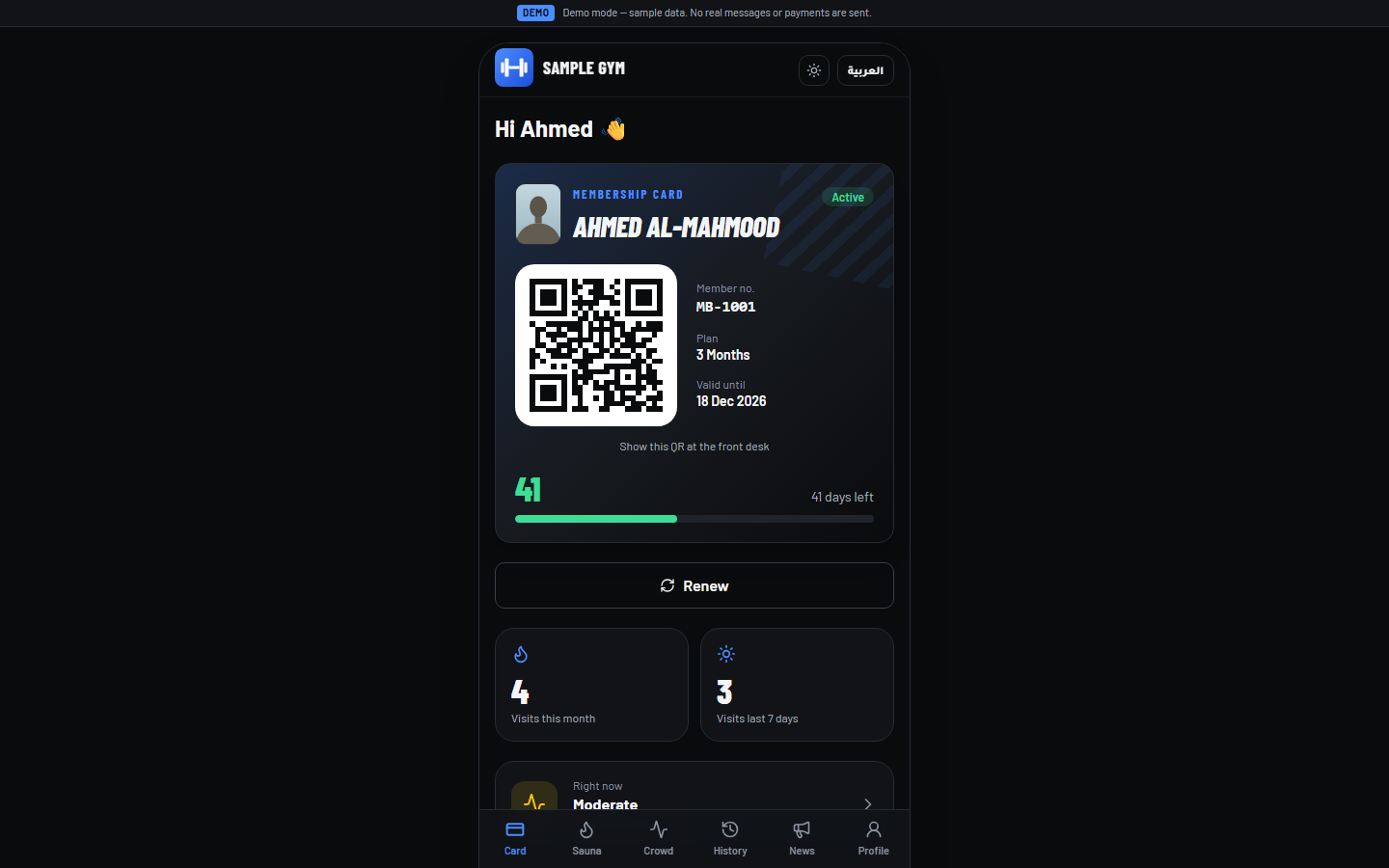
Member app (PWA)
Installable app with QR card, renewal through a mock gateway, sauna booking, crowd level, history and receipts.
Go-live tools
First-run setup creates your gym and owner account on an empty database; login codes and receipts by email (SMTP); CSV member import with preview.
See it before you buy
What's in the download
| app/ | 341 files |
| README.txt | Setup and how-to guide |
| THIRD-PARTY-NOTICES.txt | |
| CHANGELOG.txt | Version history |
| LICENSE.txt | Licence terms |
Version 1.1.0. One ZIP file, no installer, nothing sent anywhere.
Why buy it instead of building it
Try it before you pay
The live demo is the same app you get, so you know exactly what you are buying.
Every file listed before you buy
The list below is read from the actual download, and the screenshots show the real files.
A person answers support email
Write to [email protected] and get a reply within 2 business days. If it doesn't work as described, you get a refund within 30 days.
What you need
- Node.js 20.12+ and pnpm 9 (npm i -g pnpm@9); internet access for pnpm install
- Demo: runs locally with SQLite, no accounts or keys
- Production: your own PostgreSQL database (e.g. Supabase) and Node.js host (Render and Vercel are scripted), plus an SMTP account for email
- Tested on Windows 11 with Node.js 22.17: lint, type check, 149 unit tests, production build, 49 end-to-end tests (Chromium) and a production-mode run (DEMO_MODE=false) of setup, email login, emergency code and CSV import
- A developer or technical owner to deploy and run the setup commands
What it doesn't do
- Self-hosted source code, not a hosted service: you provide hosting, database, domain, backups and updates.
- Needs a developer or technical owner to deploy and run the setup commands; non-technical owners can run the local demo only.
- The payment gateway is a mock that only works in demo mode; with DEMO_MODE=false online renewal is refused (pay at the front desk) until a developer completes BenefitPay, Tap or PayTabs.
- Email (SMTP) is built in; WhatsApp and SMS are not implemented, so those messages stay in an in-app log. Members without an email log in by phone only with a code from the server console.
- Bahrain/Gulf defaults: amounts always show 3 decimals (BHD, KWD, OMR), time zone is fixed to UTC+3 (Asia/Bahrain), payroll and privacy texts follow Bahraini practice.
- Member import covers members and current memberships (no payment history, photos or check-in history); import messages are in English.
- Not legal, tax or payroll advice; have your accountant and lawyer check VAT, payroll rules and the privacy notice.
- Licence covers one business (one gym brand); no reselling or SaaS for multiple gyms.
How buying works
- Pay onceCheckout by Polar. Card details never touch this site.
- Download straight awayThe download link appears after payment and arrives by email with your receipt.
- Open and use itFollow the README to set it up.
Questions
Do I need to be a developer?
To try the demo on your computer, no: install Node.js and run three commands from the README. To put it online for real members and connect payments or WhatsApp, yes — you or someone you hire.
Where is my data stored?
In your own database on your own hosting account (for example Supabase and Render). GymBench is source code you run yourself: Brightbench does not host it, has no access to your server or database, and never sees your members', staff or payment data. Back it up with the in-app download and your database provider's backups.
How do we start with real members?
Deploy with DEMO_MODE=false on an empty database, run pnpm setup:gym to create the gym and the owner account, sign in with an emailed code (or pnpm login-code on the server before email is set up), then import your members from a CSV file.
Does it take real payments?
Not out of the box. In demo mode online renewal uses a mock gateway; with DEMO_MODE=false it is switched off and members renew at the front desk until a developer completes the BenefitPay, Tap or PayTabs adapter. Cash and card at the front desk are recorded normally.
Can I change the gym name, currency and VAT?
Yes. Name, short name and currency label are set in .env (then rebuild); VAT rate, VAT number and whether prices include VAT are in Settings. Amounts always show 3 decimals.
Is it only for Bahrain?
It is set up for Bahrain (dinar, UTC+3, PDPL, Bahraini payroll defaults). Saudi Arabia, Kuwait and Qatar share the time zone; other currencies change the label only, and payroll rules are editable settings you should check with your accountant.
Can I build it for a client?
Yes, for one business per licence: install, customise and host it for one gym brand. Each further gym needs another licence; reselling the code or running it as SaaS for many gyms is not allowed.
What if it doesn't work for me?
Email [email protected] within 30 days of purchase. We'll try to fix the problem first; if we can't, you get a full refund through the store you bought from.